How to tell a container terminal from a bulk terminal in satellite imagery
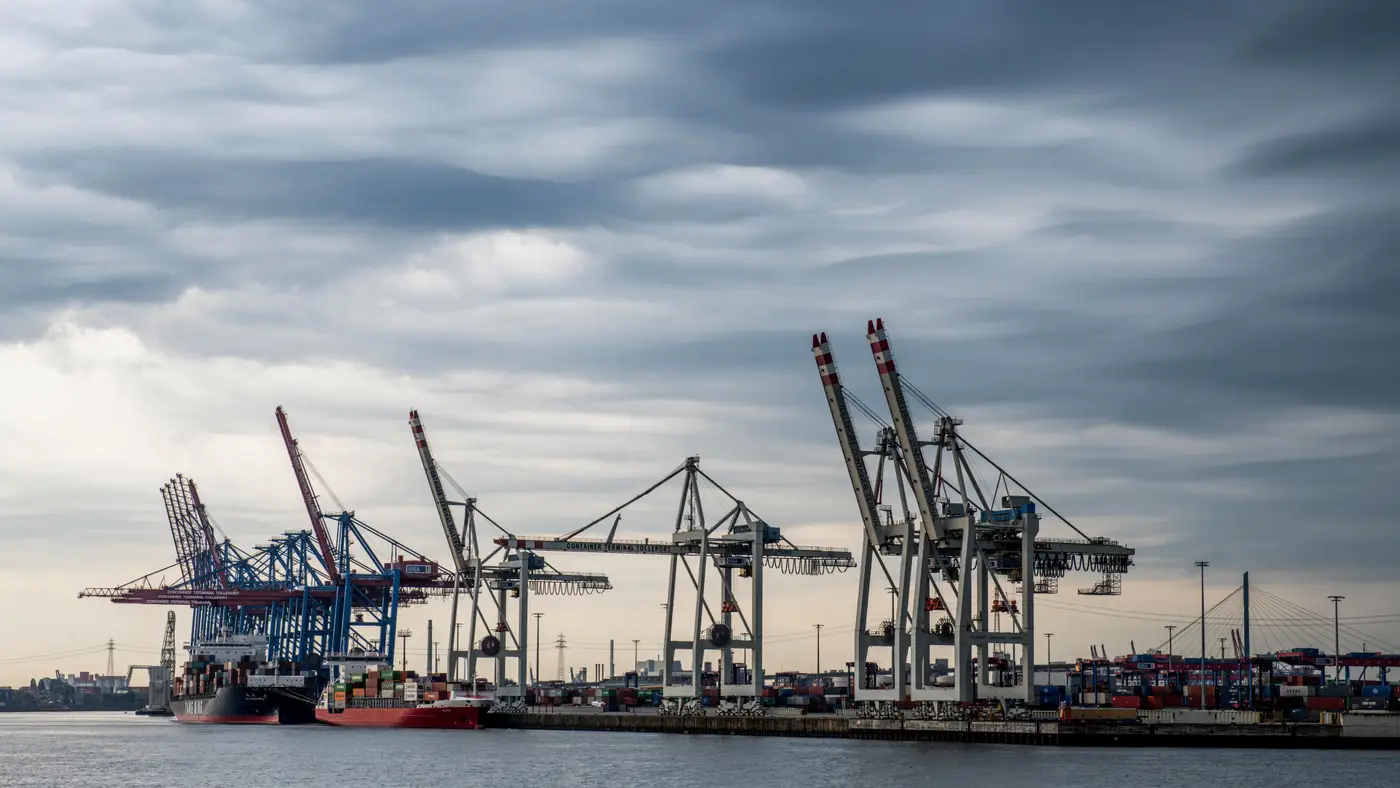
If you pull up VHR imagery of a port you don't know well, the first job is sorting out what kind of cargo each berth actually handles. The AIS feed tells you a vessel called, not what the terminal behind it does. Once you know what to look for, though, container and bulk terminals read almost nothing alike from directly overhead.
Cranes are the fastest tell
Container terminals run ship-to-shore gantry cranes: tall, rail-mounted, spaced evenly along the quay with a long boom that reaches out over the vessel. From above they look like a row of thin crosses or "T" shapes, usually four to eight of them lined up on rails parallel to the berth. Behind the cranes you'll often see yard cranes, either rubber-tyred gantries running in straight lines over the stacks or straddle carriers scattered between rows.
Bulk terminals don't have that row of identical cranes. Dry bulk berths run ship loaders or unloaders, usually fewer in number, connected to a conveyor system that snakes back from the quay to a stockyard or silo farm. The conveyor itself is often visible as a thin straight or elbowed line, sometimes under a covered gallery, which is a shape you never see on a container berth. Liquid bulk is easier still: pipe racks running to a tank farm of circular tanks, no cranes at all beyond a loading arm.
Yard layout tells you the rest
This is where the two terminal types diverge most clearly, and it's the detail worth trusting over everything else if the crane view is ambiguous or partly obscured by a vessel.
A container yard is laid out in blocks, and the blocks are rectangular and regular. Each block holds rows of boxes stacked to a consistent height, so in VHR imagery you get a tight grid pattern with sharp, repeating shadow lines where box edges and stack gaps fall. Reefer rows show up as a slightly different texture because the plug points sit in a dense, evenly spaced line. Empty slots in a block look like gaps in the grid rather than open ground. If you're trying to get a box count per block from imagery, this regularity is exactly what makes it possible.
Bulk storage looks nothing like that. Dry bulk stockpiles are irregular mounds: coal and ore piles show as dark, rounded heaps with soft shadow gradients rather than hard edges, and their footprint shifts week to week as the pile gets drawn down and rebuilt. Grain and mineral terminals often use covered storage domes or silos instead, which read as perfect circles from above, something a container yard never has. Open bulk stockyards also tend to show staining and dust halos on the surrounding pavement that a container block doesn't produce.
A few terminals mix both
Don't assume one port equals one terminal type. Plenty of multipurpose ports run a dedicated container quay next to a break-bulk or dry bulk berth on the same waterfront, sometimes sharing an access road. The way to sort them in imagery is to work berth by berth rather than judging the whole port at once: identify the crane type on each berth, then check whether what sits behind it is a gridded stack or an open stockpile. Roll-on/roll-off terminals are their own category too, mostly open paved lots full of vehicles in rows rather than stacked boxes, with no gantry cranes at all, which rules out confusion with either container or bulk once you've seen it a few times.
Once you've confirmed a berth is container traffic, the useful next question for capacity work is how full the yard is right now. Container Counting turns that same VHR imagery into a daily box count per block and bay, so you don't have to eyeball stack height and guess at utilisation. If you're already reading imagery to tell terminals apart, it's a short step to using it for a daily read on throughput.